
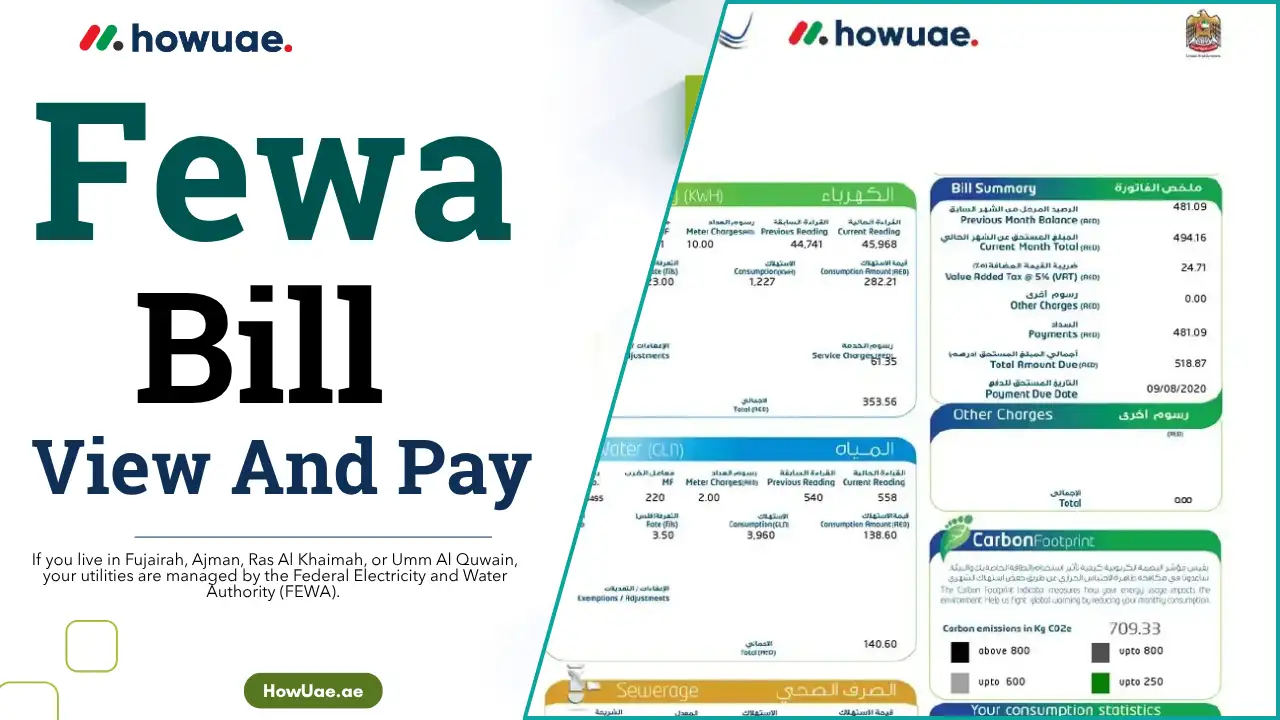
If you live in Fujairah, Ajman, Ras Al Khaimah, or Umm Al Quwain, your utilities are managed by the Federal Electricity and Water Authority (FEWA). Whether you’re a tenant, homeowner, or business, knowing how to view and pay FEWA bill online is essential to avoid service disruptions or late fees.
Good news: FEWA has made it easier than ever to manage your bills digitally. In this guide, we’ll walk you through the exact steps to view your bill, pay online, track your usage, and handle high charges — all in a simple and secure way.
How to View Your FEWA Bill Online
You can view your FEWA electricity and water bill using either the FEWA website or the mobile app.
Step-by-Step: FEWA Bill View Online
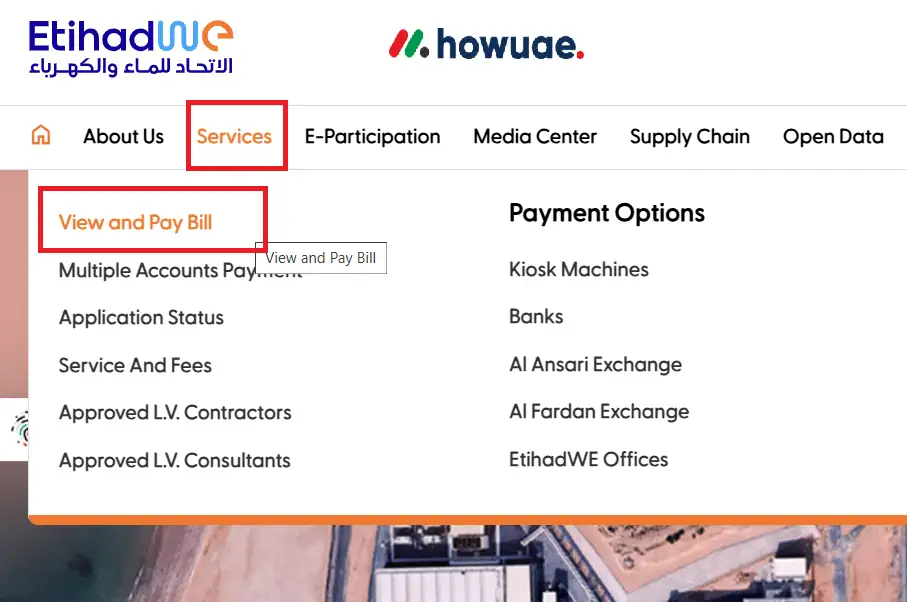
- Visit the Official FEWA Website
Go to https://www.fewa.gov.ae. Click “Services” And “View Bill” option on the homepage.
- Enter Your Account Details
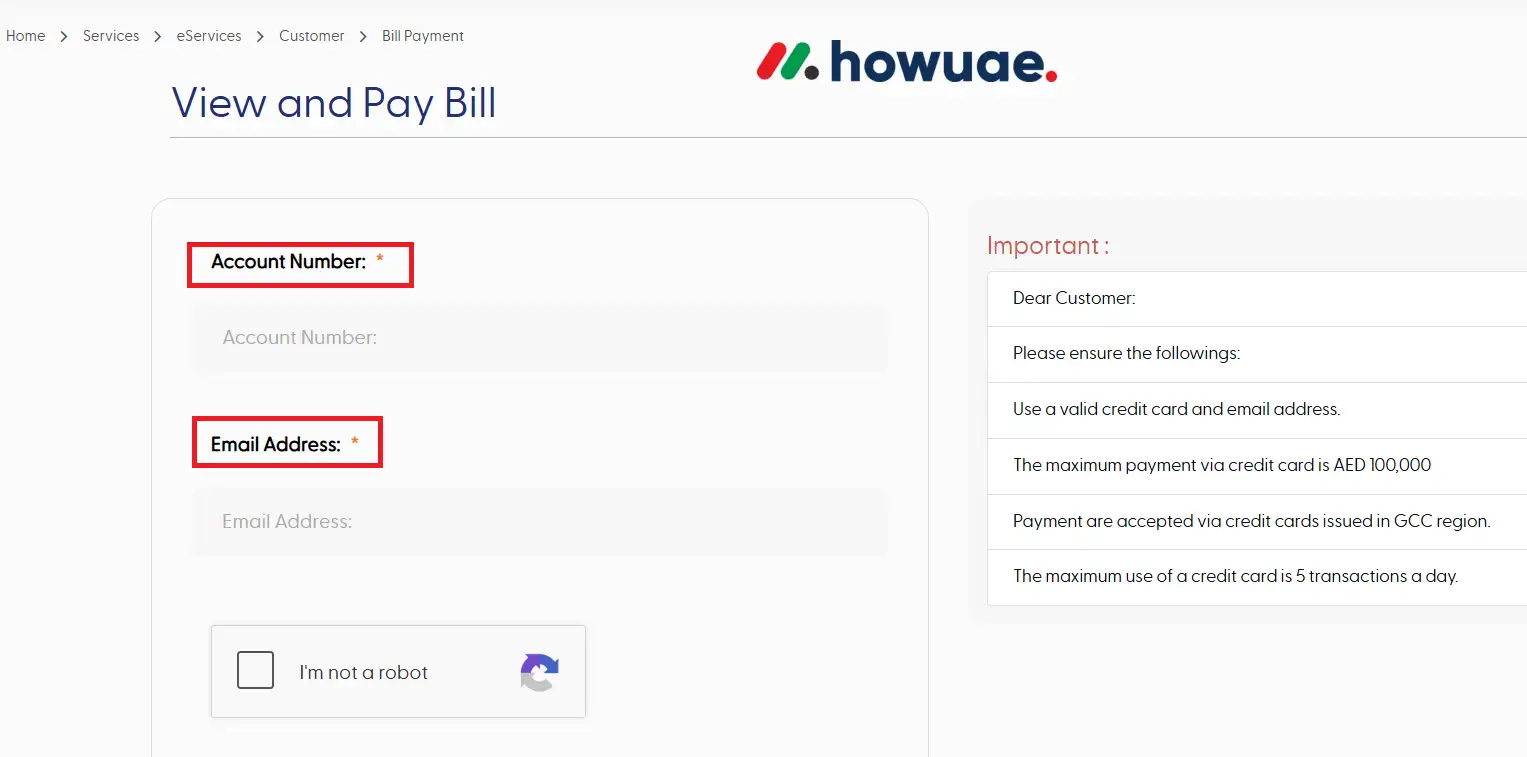
- If you have an account, log in using your email and password.
- If not, you can view your bill by entering your FEWA account number or premise number (found on previous bills).
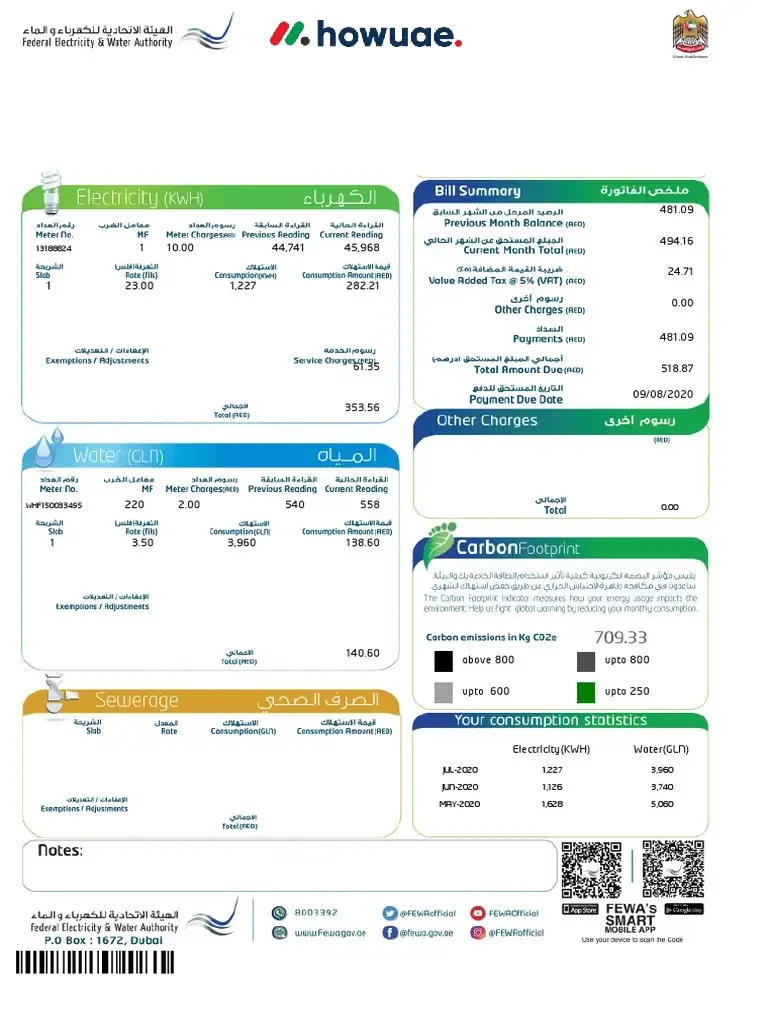
- Download or Print Your Bill
- Navigate to the billing section.
- Select the billing cycle you want to view.
- Click Download PDF or Print Bill for your records.
How to Pay Your FEWA Bill Online
There are five main ways to pay your FEWA bill online or electronically.
1. Pay via FEWA Website
- Go to the FEWA website
- Click “Pay Bill”
- Enter your account details
- Choose a payment method (Debit/Credit card or e-wallet)
- Complete payment and download your receipt
2. Pay via FEWA Mobile App
- Download the FEWA app from the App Store (iOS) or Google Play (Android)
- Log in with your registered credentials
- Select the bill and proceed with payment
- Receive a digital confirmation instantly
3. Pay Through Your Bank App
- Log in to your UAE bank’s mobile or online banking
- Navigate to utility payments or bill payments
- Select FEWA from the list
- Complete the transaction and save the confirmation
4. Pay at Exchange Centers or Smart Kiosks
- Visit any Al Ansari Exchange, Lulu Exchange, or authorized kiosk
- Provide your FEWA account number
- Pay using cash or card
- Request a printed receipt
5. Use Auto-Debit or Direct Debit
- Set up auto-debit instructions through your bank or the FEWA app
- Bills will be automatically deducted before the due date
- Prevents late fees or missed payments
Pro Tip: “Enabling auto-debit is the easiest way to ensure you never miss a FEWA bill — especially useful for frequent travelers or business owners.”
Track Your Water and Electricity Usage
Keeping an eye on your usage helps avoid surprises and control your utility spending.
1. Monthly Consumption Reports
- Log into the FEWA online portal or app
- Access detailed reports comparing your current usage to previous months
2. Smart Meter Tracking
- FEWA’s smart meters provide real-time data
- You can monitor hourly, daily, or weekly consumption
3. Alerts and Notifications
- Get SMS or email notifications about:
- Bill due dates
- High usage spikes
- Scheduled maintenance or outages
Common Reasons for High FEWA Bills
1. Billing Errors
- Always compare your physical meter reading with the value shown in your FEWA account
- If incorrect, contact FEWA immediately
2. Energy-Heavy Appliances
- Old appliances like refrigerators, water heaters, or inefficient AC units can cause high bills
- Consider switching to energy-efficient models
3. Hidden Water Leaks
- A sudden spike in water usage often points to a leak
- Get a plumber or request FEWA inspection services
4. Consider Energy-Saving Programs
- FEWA promotes solar panel installations, LED upgrades, and low-flow water devices
- Subsidies may be available for residents switching to green energy solutions
FEWA Customer Support Details
If you need help with billing, errors, or payments, here’s how to reach FEWA:
- Toll-Free Hotline: 800 3392
- Email: [email protected]
- Website: www.fewa.gov.ae
- FEWA Mobile App: Available on iOS & Android
- Walk-In: Visit the nearest FEWA service center in your emirate
Summary
Managing your FEWA bill online saves you time, money, and hassle. From checking your bill to paying it securely and tracking usage, all steps are accessible through the website, app, or your bank.
Making the shift to digital bill management also helps you stay on top of energy efficiency, reduce costs, and avoid service disruptions.
Frequently Asked Questions
How can I get my FEWA account number?
You can find it on previous FEWA bills or by contacting customer service.
Can I pay my FEWA bill using Apple Pay or Google Pay?
Some e-wallet options are supported through the mobile app or FEWA website, depending on your bank and region.
How often does FEWA send bills?
FEWA issues monthly bills, typically at the end of each billing cycle.
Can I schedule recurring payments?
Yes. Use auto-debit features in your bank or set recurring payments via the FEWA app.
Related Articles


