If you’re one of the thousands of employees in the UAE using an Al Ansari Payroll or PayPlus card, you may be wondering: “How can I check my Al Ansari card balance online or at an ATM?”
This guide will walk you through all the secure, up-to-date Al Ansari Balance Check methods to check your balance in 2025 — whether you’re using a PayPlus card, Payroll card, or any other Al Ansari salary solution. We’ll also explain the difference between the card types, how to recover your PIN, and even how to download your salary statement.
What Is the Al Ansari Salary Card?
The Al Ansari Salary Card is a prepaid payroll solution used widely across the UAE. Employers deposit salaries directly onto this card, making it easier for employees (especially those without a bank account) to access funds, withdraw cash, and send money home.
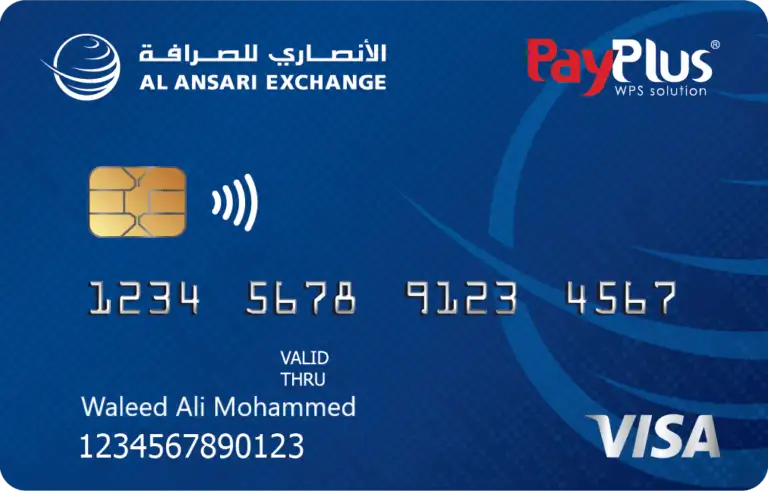
There are two main types of Al Ansari-linked salary cards:
- Payroll Card – Issued directly by Al Ansari Exchange
- PayPlus Card – Issued by UAE-based banks (like FAB or NBD) under an employer partnership
Ways to Perform an Al Ansari Balance Check
You have several secure methods to check your Al Ansari balance:
1. Online Balance Check via Al Ansari Website
This is the fastest and most convenient method.
Steps:
- Visit the Al ansari official portal.
- Choose the Type Individual or corporate.

- Login using your details or Register the Account.
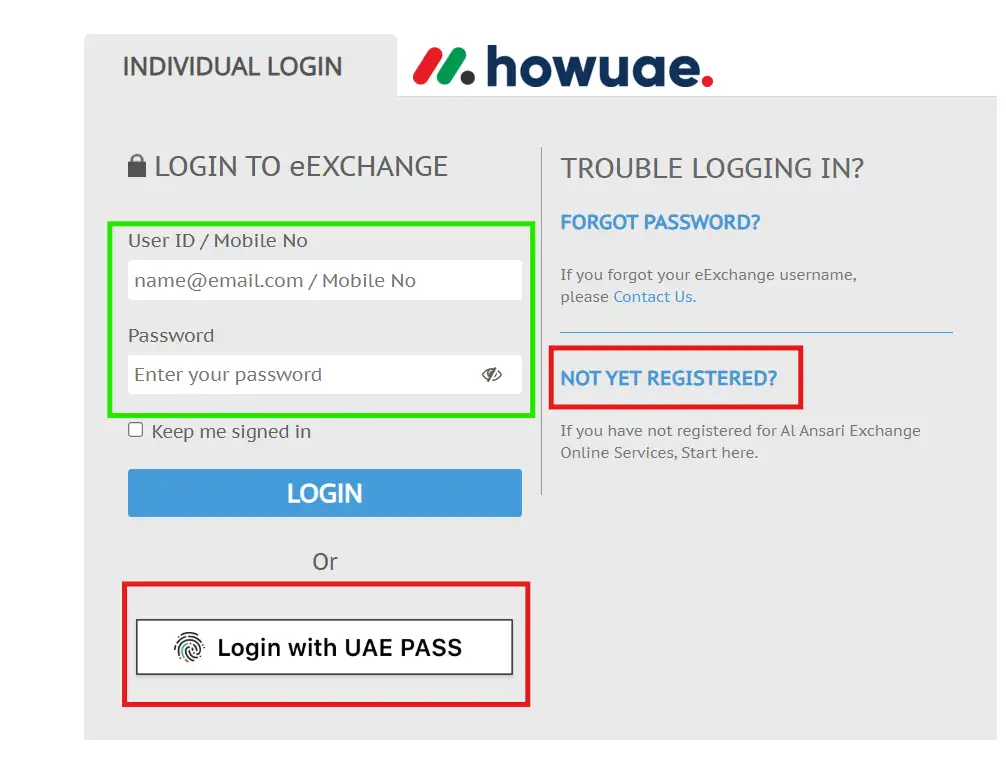
- Enter your account/Card details to save into Your Account.
- See the Dashboard Home
- Click on Show balance to see it.
- Your available balance will appear on the screen.
Pro Tip: Bookmark the page on your phone for quick access at the end of every month.
2. Al Ansari PayPlus Balance Check Via Mobile App
If you’re using the Al Ansari PayPlus Salary Card, the official mobile app is one of the easiest ways to check your balance anytime, anywhere.
Steps to Check PayPlus Card Balance via Al Ansari Exchange App:
- Download the Al Ansari Exchange App from:
- Install and open the app.
- Tap on “Register/Login”.
- Choose one of the sign-in methods:
- Register with your mobile number
- Login using existing credentials
- Sign in via UAE PASS
- Complete verification steps and accept the terms and conditions.
- Once logged in, go to your dashboard.
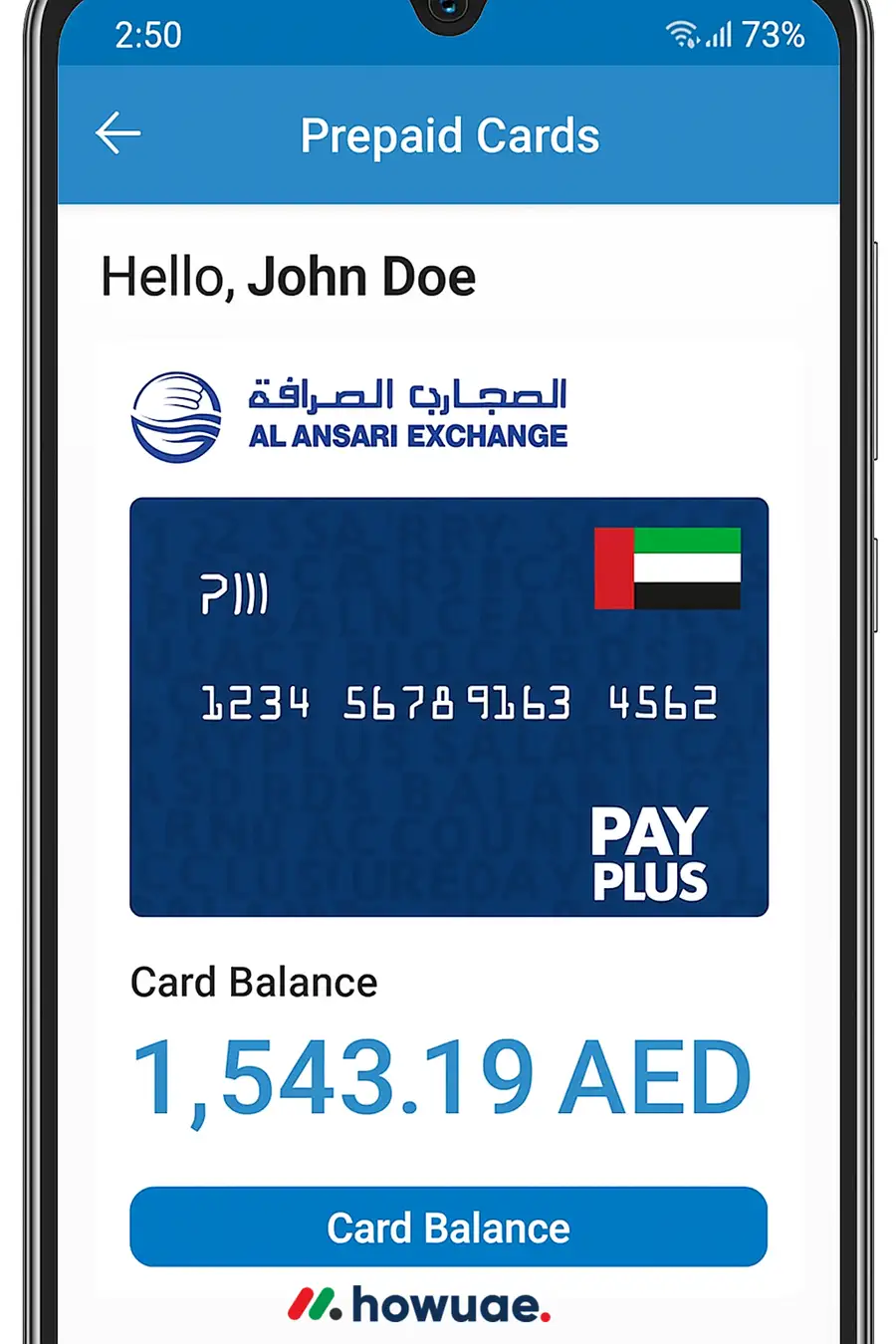
- Tap on “Prepaid Cards”.
- Find your PayPlus card and tap “Card Balance”.
- Click “Show” to display your current balance.
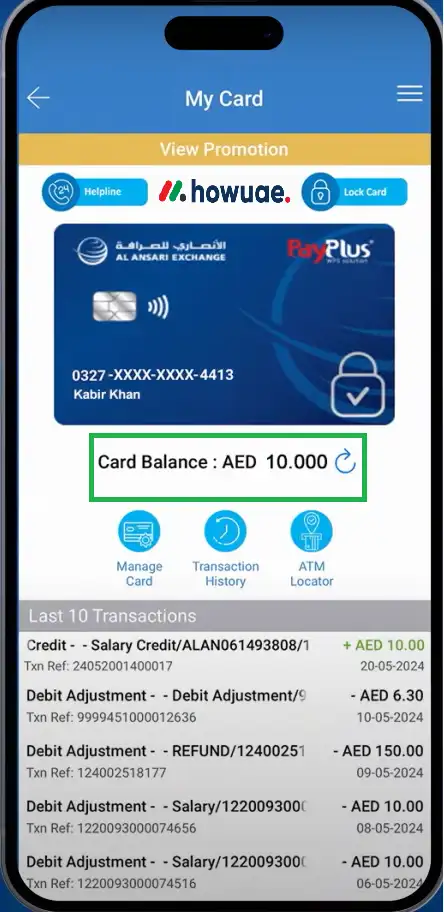
Pro Tip: The mobile app also lets you track transactions, send remittances, and download salary statements—making it the all-in-one tool for PayPlus users.
3. ATM Balance Inquiry (Payroll Card Users Only)
You can check your balance at any Al Ansari Exchange ATM or any compatible machine.
Steps:
- Insert your Payroll card.
- Enter your 4-digit PIN.
- Select “Balance Inquiry” from the menu.
- Your balance will be shown on screen (and printed if needed).
Note: A small fee (typically AED 1–2) may be charged for ATM inquiries depending on the machine used.
4. Customer Support Inquiry
If you prefer speaking to someone:
- Call Al Ansari customer support at 600 54 6000
- Provide your card number and other ID details
- An agent will inform you of your current balance
Support hours: 8:00 AM to 12:00 AM (midnight)
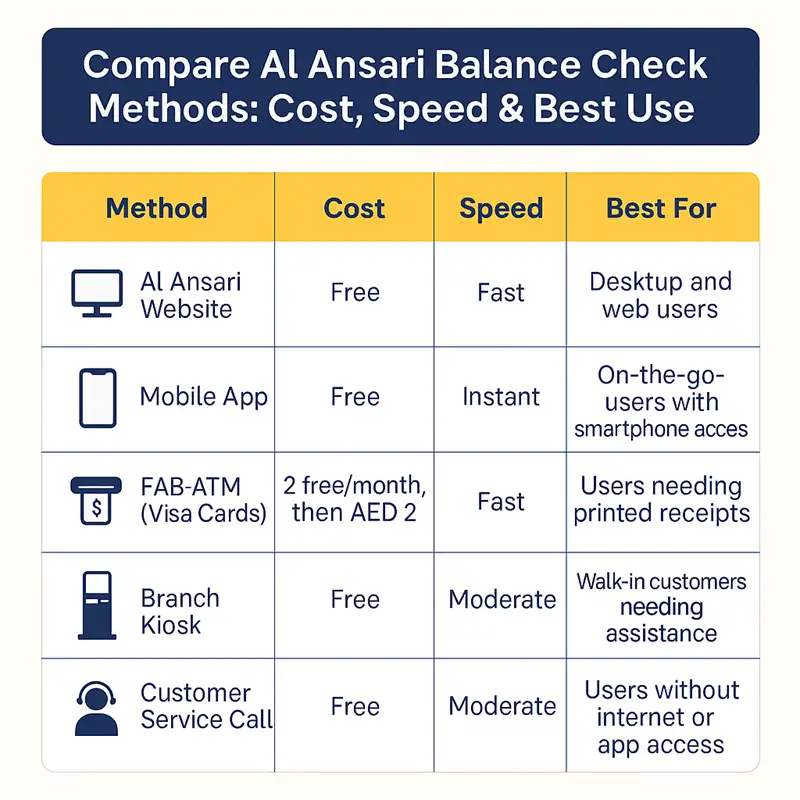
Compare Al Ansari Balance Check Methods
| Method | Cost | Speed | Best For |
|---|---|---|---|
| Al Ansari Website | Free | Fast | Desktop and web users |
| Mobile App | Free | Instant | On-the-go users with smartphone access |
| FAB ATM (Visa Cards) | 2 free/month, then AED 2 | Fast | Users needing printed receipts |
| Branch Kiosk | Free | Moderate | Walk-in customers needing assistance |
| Customer Service Call | Free | Moderate | Users without internet or app access |
Difference Between Al Ansari Payroll Card & PayPlus Card
Understanding your card type helps you choose the best method to manage your salary.
| Feature | Payroll Card (Al Ansari) | PayPlus Card (Bank-Issued) |
|---|---|---|
| Issued By | Al Ansari Exchange | FAB, Emirates NBD, etc. |
| ATM Withdrawals | From Al Ansari ATMs | From bank ATMs |
| Online Check | Via Al Ansari Portal | Via Bank App or ATM |
| Salary Deposit | Through WPS system | Through Employer Payroll System |
| Fees | Minimal | May vary by bank |
How to Download Your Al Ansari Salary Statement
To get a full salary record or proof of payment:
- Log in to the Al Ansari card portal.
- Go to the “Balance” section.
- Click on “Download Statement” next to the balance.
- Save the file in PDF format to your phone or computer.
This is often needed for visa renewals, bank applications, or rent agreements.
Forgot Your Al Ansari Card PIN or Password?
If you can’t remember your PIN or login details:
- Call 600 54 6000 or email [email protected]
- Provide verification details (e.g., card number, Emirates ID)
- A support agent will guide you through the reset process
Important: Never share your PIN over the phone. Al Ansari staff will never ask for it.
Security Tips for Al Ansari Card Users
- Change your PIN regularly
- Avoid using public Wi-Fi when logging in to your balance portal
- Enable balance alerts if offered by your employer or bank
- Immediately report lost or stolen cards
Final Thoughts
The Al Ansari Salary Card is a reliable and widely used tool for workers across the UAE, especially for those who don’t have a traditional bank account. With multiple secure Al Ansari Balance Check options—online, ATM, or customer support—it’s easy to stay on top of your finances.
Make sure you know your card type, bookmark the online portal, and use the method that suits your lifestyle best.
FAQ – Al Ansari Balance Check (2025)
1. Can I check my Al Ansari card balance without my PIN?
Yes, you can use the online portal which only requires your Card ID and last 2 digits of your card.
2. Is there a fee to check the balance at ATMs?
Yes, some ATMs may charge a small fee (AED 1–2) for this service.
3. How often can I check my balance for free?
Online checks are free and unlimited. ATM checks may have limits depending on the card type and bank.
4. Is the balance updated in real-time?
Yes, balances are updated immediately after your salary is deposited.
5. Can I receive balance alerts on my phone?
Only if your employer or card provider enables this option. Contact your HR or bank for details.
Related Articles